Building BJJ Buddy Live: A Speediance Workout and AI Dev Session
A real Sunday session: shipping Supabase auth to BJJ Buddy, debugging GLM 4.7 offload issues, and grinding Speediance sets while reviewing Whoop and Garmin data.
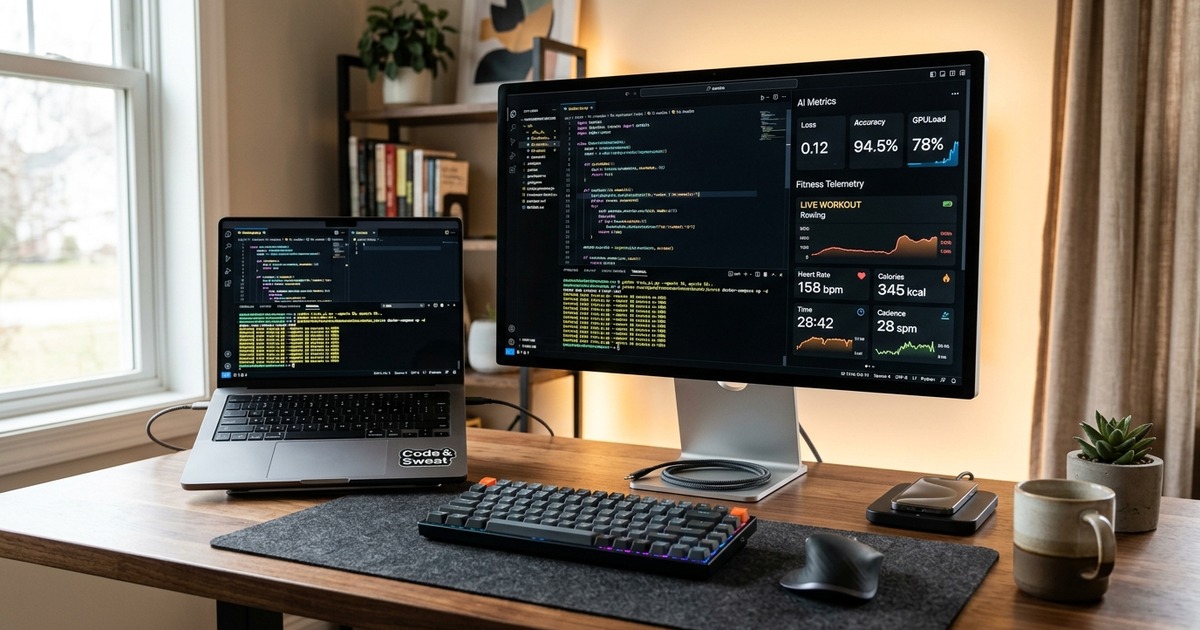
The answer to what an AI-assisted build looks like in practice is: messy, parallel, and significantly more useful than a polished demo. This past Sunday, I streamed a session where the goal was twofold: move the BJJ Buddy backend from a local-only prototype to a cloud-synced reality, and maintain my training volume using a Speediance Warrior One template. The result was a session where the brain never really turns off—you’re dropping a set of heavy curls, walking three steps to the desk, and prompt-engineering a fix for a failed Supabase authentication flow before the rest timer expires.
The Technical Build: Wiring BJJ Buddy to the Cloud
BJJ Buddy is evolving. Until now, it was a local-first experiment. This session was about making it real for users by wiring up Supabase end-to-end. The transition to a cloud-synced backend is never as simple as hitting a 'deploy' button; it requires a systematic re-architecture of how data flows through the application.
The core accomplishments during the stream included:
- Authentication Overhaul: Implementing full email and password authentication. We hit an early snag where the account creation emails weren't firing; the initial wiring was silent, leading to a few minutes of debugging the SMTP handoff before realizing the listener wasn't properly initialized.
- Row Level Security (RLS): In a fitness app, data privacy is paramount. I spent a significant portion of the session writing and testing RLS policies for the training sessions, biometrics, and the primary training log tables. This ensures that even though the data is in the cloud, a user can only ever interact with their own rows.
- The UI Loop: I built out a functional home view, a streamlined training log entry screen, and a session history view. The highlight here was the 'edit-in-place' functionality for historical sessions, allowing users to correct weight or rep counts without navigating away from the history list.
- The Hybrid Demo Mode: It was important to maintain a demo mode. This allows prospective users to explore the interface and log dummy sessions without needing to sign up. Building the logic that switches between local state and Supabase state based on auth status was a key win for the night.
The most interesting part of the build wasn't the code itself, but the workflow. After adding a save flow to the training log, I noticed a missing 'close' button on the success modal. Instead of jumping into the CSS myself, I used my AI stack to handle the micro-task. I asked ARIA (my lead AI agent) to hand the task to Clarity (a local sub-bot). Clarity spawned a local Qwen 3 Coder session, identified the div, and pushed the patch. The whole handoff took one natural language prompt and about fifteen seconds of execution time.
The AI Orchestration Stack: ARIA, Clarity, and Nova
My current development environment uses a system I call OpenClaw, structured as a main controller bot with specialized sub-bots. This architecture is driven by a very practical constraint: cost and token efficiency. I was sitting at roughly 47% of my monthly subscription usage. If I asked a high-end model like Claude 3.5 Sonnet to perform every trivial CSS fix or minor bug hunt, I would burn through my budget by mid-month.
Instead, I use local models for the 'grunt work':
- ARIA (The Orchestrator): The high-reasoning remote model that understands the project architecture and delegates tasks.
- Clarity (The Coder): A local sub-bot running Qwen 3 Coder. It handles the actual file edits and syntax.
- Nova (The Researcher/Debugger): A local bot running GLM 4.7 Flash, used for digging through documentation or reasoning through error logs.
I encountered a fascinating hardware limitation during the stream: Nova kept failing to load. Since GLM 4.7 Flash is a new, larger model, it should fit in unified memory alongside Qwen. However, a smaller Qwen 3 model I had running for background cron jobs was the culprit. Every time a cron job fired, it would snag a sliver of VRAM, causing the system to evict the larger GLM model from the pool to make room. Removing the 'small' models entirely for anything that wasn't Nova's job solved the stability issues immediately. The lesson: on unified memory systems, two large local models can coexist, but a third 'tiny' model is often the catalyst for a crash.
Speediance Live: Training in the Gaps
The workout for the night was Warrior One, a custom template I’ve been refined. My current benchmark is roughly 20 RM for warm-ups, doing sets of 13 reps. Even with the newest 3.1 software update, the Speediance still has a persistent UX friction point: the forced rest timer. While it’s intended to keep you moving, in a dev-heavy session, it often forces me to walk back to the desk, punch in a prompt, and then sprint back to the machine before it moves to the next movement.
Two specific takes on the Speediance hardware and software emerged from this session:
1. The Safety Start Default Issue: Speediance recently introduced a 'Safety Start' feature for standing curls and other lifts. It’s intended to prevent the handles from yanking forward or snapping back into the machine. However, for a high-to-low stretch (which I use for shoulder mobility), the safety start kills the range of motion. It stops the cable before you can reach the full extension required for the stretch. My heaviest set on this lift isn't about the load; it's about the depth. Safety Start effectively turns a mobility-focused lift into a standard, limited-range curl. This is a feature that needs to be an 'opt-in' toggle per exercise, not a global default. Interestingly, Tonal never shipped a similar feature for exactly this reason—it interferes with the physics of the movement.
2. 2S Retraction Concerns: I noticed the cable retraction on my Speediance 2S feels 'mushier' than the original Gym Monster. There is a slight lag in the take-up that wasn't present in the earlier hardware. Speediance is just returning from a holiday break in China, so I am optimistic that a firmware update may address the motor calibration soon.
On a more positive note, the hardware durability was tested when I accidentally started a set with the Smart Handles on the wrong sides and dropped one mid-movement. The hardware didn't skip a beat. It’s a hardy piece of kit that survives the occasional 'livestream brain' error.
The Wearables Stack: Garmin vs. Whoop
During the lift, I was monitoring both Garmin and Whoop. They serve different masters in my ecosystem. While people often ask which is 'better,' this session highlighted why I keep both on my wrists.
| Platform | Primary Metric | Why it Mattered Tonight |
|---|---|---|
| Whoop | Recovery % & Strain | Whoop showed a 35% recovery. This told me I shouldn't push for a PR on the Speediance. I stayed in the 'maintenance' volume zone. |
| Garmin | Training Load Chart | I used this to track my aerobic base progression. I'm currently prepping for a race while carrying significant mass, and the 4-week load chart is my bible. |
| Custom Dash | Combined Morning Report | This aggregates both to suggest if I should run tomorrow. Since tonight's strain was moderate, tomorrow is a go. |
Garmin remains a study in contradictions. The 'Training Load' chart is the single most important screen for my current race prep, yet it is buried five levels deep in the mobile app (Performance Stats > Training Status > Load). It is a significant product miss that this signal is hidden behind so much noise. Furthermore, Garmin still doesn't provide a way to see 'Suggested Workout Adherence' at a glance, which makes it hard to see if you're actually following the plan over a month-long period.
One critical fix I made mid-stream: my Max Heart Rate was incorrectly set based on data from nearly eight years ago. This caused every workout to register as 'low anaerobic.' Updating this to my current physiological reality immediately fixed the load distribution chart, making the suggested workouts actually usable again.
Training for a Race at My Biggest Weight
I am currently training for a race while at my heaviest body weight to date. The physiological feedback is fascinating. Seven years ago, when I was purely a runner, my training load curve would spike in two weeks. Now, it takes nearly eight weeks of consistent grinding to see that same 'green line' move up. A heavier, older body responds slower, but the data confirms that the progress is more stable. This is the best physical shape I’ve been in since before 2022, even if the scale says I’m 'out of spec' for a traditional runner.
Key Takeaways from the Session
- Agentic Workflows: A main-bot plus sub-bot setup is the only way to scale development while staying within API token budgets. Local models like Qwen 3 Coder are now 'good enough' for 80% of UI tasks.
- Garmin UX: The most vital data is often the worst-placed. If you aren't digging into the 'Load' sub-menus, you're missing the true value of the Garmin ecosystem.
- Speediance Safety: Users should be cautious with the new 'Safety Start.' It’s great for beginners but can actively hinder advanced movements that require full range-of-motion stretching.
- The Parallel Brain: Building with AI while training isn't just about saving time; it’s about 'context-switching' fatigue. Using AI to handle the micro-decisions allows you to save your cognitive energy for the heavy sets and the high-level architecture.
The full session, including the BJJ Buddy backend walkthrough and the Smart Handles drop, is archived for subscribers. If you want to see the unedited flow of prompts and reps, the link is below.
Watch the full Build BJJ Buddy Live plus Speediance AI Dev Session on YouTube.
Go deeper
Follow the AgentStack system from build notes to daily episodes
The AI work has its own path now: implementation reports, daily analysis, and the podcast archive.