From trading to GBL: What my Pokémon GO automation can do
It started with automated trading. Now the toolkit handles GO Battle League, gifts, gym berries, reward catches, friend management, and raid planning across real phones.
This started with automated trading: taking a repetitive sequence across two phones and letting the software handle the repeated confirmations. It has grown into a much broader Pokémon GO toolkit, covering battles, gifts, berries, catches, friends, and collection cleanup.
The interesting part is how those pieces work together. One phone can be working through GO Battle League while another handles gifts and a third clears a reward queue. The toolkit coordinates real Android phones and iPhones, with different workflows chosen for each device.
Automated trading: where it began
Trading remains a core feature. Prepare the two phones, choose the Pokémon selection you want to use, and the trading workflow handles the repeated confirmation sequence for the selected pair.
The documented implementation supports Android-to-Android, iPhone-to-iPhone, and mixed Android/iPhone pairs. Both phones must be connected to the same computer and configured for their screens. Trade costs and the game's restrictions still apply. The project also credits the original AutoTrader work by jonaro00 in its public README.
GO Battle League, from entry to rewards
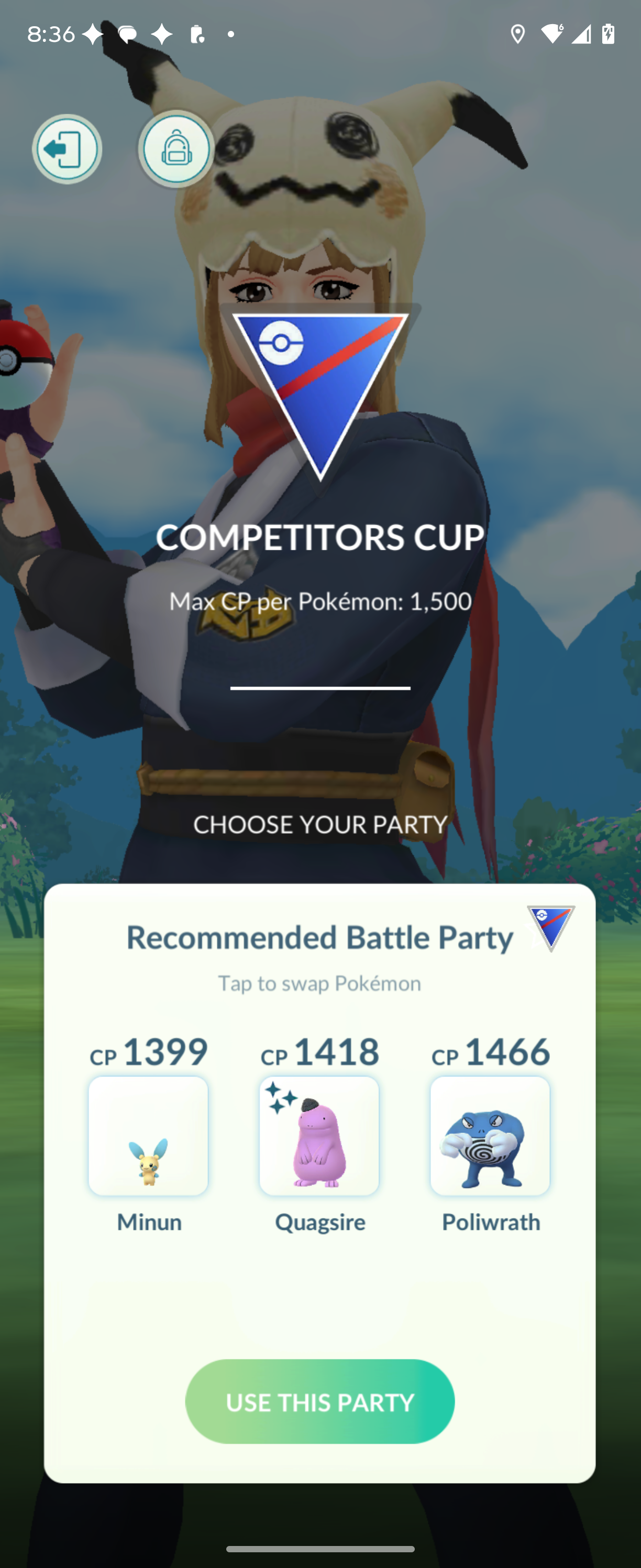
GBL automation covers entering the league, selecting a party, combat inputs, result screens, and reward handling. Each selected phone plays its own matchmaking battles, so several phones can work through their battles alongside one another.
There is also a daily-run workflow that coordinates the day's GBL allotment and restarts stalled legs. That gives the toolkit a longer-running option beyond an individual batch. Available cups, reward screens, and daily game limits still determine what can proceed.
Gifts and gym berries without all the repeated taps
The gift workflow opens and sends gifts through the Friends interface on Android and iPhone. It reads the friend list, skips rows pinned by a pending remote trade, and uses the blue interaction halo to guide which gifts it opens. Sending continues for friends who can receive a gift while supplies last.
Gym feeding fits into that same routine. A phone already parked on an open defender's feeding screen can be routed to berry feeding instead, with a budget limiting how many berries it spends. There is also a berries-only option. Gift supplies, daily limits, and the starting screen still matter.
Clear reward queues and catch opened encounters
The catching workflow handles queued reward encounters and research CLAIM buttons on both platforms. It works through item rewards or Pokémon encounters, then reads the screen again to continue through the queue.
It can also catch wild encounters you open manually. That is useful automation for the encounter itself, rather than a claim that it navigates the map and finds Pokémon for you.
Manage friends and clean up a prepared selection
Friend requests can be submitted from trainer-code lists on Android or iPhone, with attempt history to avoid repeating codes already recorded. The other trainer still decides whether to accept.
Friend removal is a separate Android-only feature. It can identify friends with no gift, no blue halo, and a chosen friendship-heart threshold, then remove them after explicit confirmation. Candidate listing is available before removal.
For Pokémon storage, the transfer workflow supports both platforms and works from a selection you deliberately prepare. It requires a count or explicit all-selection option and deletion confirmation. Transfers cannot be undone, so reviewing the selection is part of using this feature.
Plan stronger raid teams and candy spending
The raid-planning tool adds another useful angle: it reads the collection and helps answer which attackers you can field now, which individuals are worth investing candy and XL candy in, what upgrades cost, which Megas are unavailable, and which strong attackers are missing.
It also produces Rare Candy and Rare Candy XL recommendations. This is a read-only planning feature: it does not fight raids, power up Pokémon, teach moves, or spend resources. Stardust is reported rather than treated as a spending budget.
Different phones, different jobs, one starting point
The screen-based launcher ties the toolkit together. Park each phone on the relevant screen and it can route that device into GBL, gifts, gym berries, or catching. Different jobs run side by side; unfamiliar screens and phones already occupied by another command are skipped.
Configured computers can coordinate the work too. Named devices follow the computer holding their cable, while paired trading still requires both phones on one host. Android uses ADB; iPhone control needs the documented macOS, Xcode, Appium, and WebDriverAgent setup.
That is what makes the project more interesting than a single trading script: a collection of practical workflows that can share the same device setup. The workflow guide covers the features and their limits, and the public repository documentation is the starting point for exploring the toolkit. These are screen-driven tools, so calibration and game-interface changes still matter, and support is not identical for every feature on both platforms.
Choose the next view
Move from the story into the underlying training data
Explore the weekly plan, video library, and the best place to start with the site.